
Does screen time before bed affect sleep? For many people, the answer may be yes. You tell yourself you will check one last message, watch one more video, or scroll for just five more minutes. Before you know it, bedtime has passed, your mind feels wide awake, and putting your phone down suddenly seems harder than it should.
Screens are now part of almost every bedtime routine. You may use your phone to relax, reply to messages, watch a show, read the news, or distract yourself from the thoughts that appear when the day becomes quiet. Although these habits can feel comforting in the moment, they may also make it harder for your body and mind to recognize that it is time to wind down.
The effect is not limited to blue light. What you watch, how long you stay online, the emotions triggered by social media, and the simple habit of keeping your phone within reach may all influence when you fall asleep and how settled your sleep feels. You might go to bed later than intended, struggle to switch your brain off, wake to notifications, or feel tired the next morning even though you thought you spent enough time in bed.
This does not mean you need to remove every screen from your life or follow an unrealistic digital detox. Small changes to the timing, brightness, content, and location of your devices may already make your evenings feel calmer. Understanding which part of your screen routine affects you most can help you choose adjustments that are practical enough to maintain.
Below are 7 common ways screen time before bed may disrupt your sleep, along with practical tips to help you create a calmer evening routine and get the restorative rest you need.
Want to make your evenings feel calmer without overcomplicating your routine? Download the Free Sleep Better Tonight Guide for simple, practical steps you can start using before bed tonight.
Quick Answer
Yes, screen time before bed can affect sleep. Bright light from a phone, tablet, television, or computer may delay the signals that help your body prepare for rest. However, blue light is only part of the picture. Stimulating content, emotional conversations, endless scrolling, notifications, and simply staying online longer than intended may also keep your brain alert and push bedtime later. The effect varies from person to person, but reducing screen use for 30 to 60 minutes before bed—or making your evening screen habits calmer—may help you fall asleep more easily and protect your sleep routine.
What Does Screen Time Before Bed Do to Your Sleep?
Screen time before bed includes any time spent using a phone, tablet, computer, television, or other light-emitting device shortly before you intend to sleep. Its effect is not determined by the device alone. The timing, brightness, duration, content, and way you interact with the screen can all influence how easily your body and mind settle for the night.
Your sleep-wake rhythm relies partly on signals from your internal body clock. Evening light exposure may interfere with the natural rise in melatonin, a hormone that helps signal that darkness and bedtime are approaching. This does not mean that every glance at a screen will ruin your sleep, but brighter or longer exposure close to bedtime may make that transition less clear.
The activity on the screen matters too. Watching an intense series, reading upsetting news, having an emotional conversation, gaming, or repeatedly checking social media can keep your attention active. Screen use may also replace sleep simply because you remain awake longer than planned.
Not everyone responds in exactly the same way. A dim screen used briefly for calm reading may affect you differently from an hour of fast-paced scrolling with the phone close to your face. Night mode may reduce some light exposure, but it does not remove mental stimulation or prevent bedtime from being delayed.
When screen habits interfere with sleep, you may notice that you take longer to fall asleep, feel less settled at night, or wake feeling more tired than expected. Looking at your complete evening routine can help you identify which part may be worth changing first.
7 Ways Screen Time Before Bed May Affect Your Sleep
Screen use can influence sleep in several ways, and blue light is only one part of the problem. The following seven factors move from less obvious habits to the effects most commonly associated with screens at night.
1. Notifications and Reachability Can Keep You on Alert
A phone beside your bed can keep part of your attention connected to the outside world. Even before a notification appears, you may feel tempted to check whether someone has replied, whether a new message has arrived, or whether you have missed something important.
Each check can restart your mental activity. A short reply may turn into a conversation, one notification may lead you into another app, and a quick glance can expose you to information that feels stressful or exciting. Instead of gradually settling, your brain receives another reason to stay engaged.
Notifications can also disturb sleep after you have drifted off. A sound, vibration, or illuminated screen may cause a brief awakening, even when you do not fully remember it the next morning. If you already tend to wake up multiple times at night, keeping an active phone within reach may make it easier to check the time or start scrolling during those awakenings.
Many people keep their phone beside the bed because they use it as an alarm. In that situation, a simple bedside alarm clock can make it easier to charge the phone across the room or outside the bedroom. This removes the practical reason for keeping messages, apps, and notifications within arm’s reach all night.
You do not necessarily need to disconnect from everyone. Creating a clear exception for emergency contacts while silencing less important alerts can provide reassurance without allowing every notification to enter your sleep environment.
Quick Tip
Turn on Do Not Disturb before beginning your bedtime routine and allow calls only from selected contacts. If your phone remains difficult to ignore because it doubles as your alarm, consider using a separate bedside alarm clock and charging your phone away from the bed.
2. Notifications Can Keep You Waiting for the Next Message
Even when your phone stays quiet, knowing that a message could arrive may make it harder to switch off. You might check whether someone has replied, glance at the lock screen, or keep your phone close enough to notice every buzz. Each check brings your attention back to the day when you were trying to settle for sleep.
Notifications can interrupt you after you have put your phone down, too. A sound or vibration may draw you back into a conversation, while a preview on the screen can make you curious enough to pick the phone up again. If that happens repeatedly, your planned bedtime can slip later without you noticing.
For some people, the habit continues during the night. You wake briefly, see the phone beside you, and check it before trying to fall back asleep. Awareness of nighttime notifications and the urge to check them have been associated with poorer sleep in research, although that does not mean every notification will disturb everyone.
Start with a free change: turn on Do Not Disturb at a set time and allow calls from people you genuinely need to hear from. If you use your phone as an alarm and that is why it stays by your bed, a simple bedside alarm clock could make it easier to charge the phone farther away. That gives us a natural product recommendation to add once you have found a suitable one.
Quick Tip
Tonight, set Do Not Disturb to start 30 minutes before bed. Put your phone somewhere you cannot see its screen from your pillow. If you need to remain reachable, add your essential contacts as exceptions before you put it down.
3. Screen Time Can Push Your Bedtime Later
You open your phone at 10:30 p.m. to check one thing. A video leads to another, a message needs a reply, and suddenly it is nearly midnight. Even if you fall asleep quickly once you put the phone away, you may have lost valuable time you intended to spend sleeping.
This is sometimes called bedtime procrastination: delaying sleep even though you planned to go to bed earlier. Screens make it easy because there is rarely a natural stopping point. Another episode starts automatically, fresh posts appear when you refresh, and your phone offers something new whenever you feel bored.
The effect can be easy to overlook. If you normally sleep from 11 p.m. until 7 a.m., starting to scroll until midnight leaves you with an hour less time in bed. A warmer screen setting may feel more comfortable, but it cannot give that hour back.
If you often wonder why you still feel drained after what seemed like a full night, our article Why Am I Always Tired Even After 8 Hours of Sleep? looks at other reasons sleep may not feel restorative. In this case, start by checking whether screen use has quietly shortened your nights.
A built-in app timer can help you notice when your planned screen time has ended. If you prefer reading to wind down, a comfortable bedside reading lamp and a paper book may give you an activity with a clearer stopping point. You do not need to buy anything to try the change first.
Quick Tip
Set a bedtime alarm 30 minutes before you want to sleep, then choose one clear stopping point: the end of a chapter, episode, or message. For the next few nights, note when you actually put your phone down. That can show you whether screens are shortening your sleep.
4. Stressful Content May Make It Harder to Wind Down
You pick up your phone to relax, but the first thing you see is upsetting news, a difficult message, or a post that makes you compare your life with someone else’s. Instead of feeling ready for bed, you find yourself replaying what you saw.

This does not mean social media is always bad for sleep. A funny video or a calm conversation may feel pleasant. The question is whether the content you see at night leaves you feeling settled, worried, angry, or eager to keep checking for updates.
When a post touches on something already on your mind, it can be particularly hard to leave behind. You might put the phone down but continue thinking about a conversation or imagining what could happen next. If anxiety is also waking you during the night, Why Do I Wake Up With Anxiety at Night? explores that experience in more detail.
You can make this part of your routine easier to manage without giving up your phone altogether. Mute accounts that regularly leave you tense, avoid checking work messages in bed, and choose calmer content for the final part of your evening. If you want an alternative to scrolling, a paper sleep journal may give you a place to write down lingering thoughts. Try a notebook you already own first; a dedicated journal is only useful if you enjoy using it.
Quick Tip
Notice how you feel after ten minutes of evening scrolling. If you feel more tense than when you started, close the app and write down the thought that keeps coming back. Then choose a quieter activity for the rest of your wind-down time.
5. Keeping Your Phone Beside the Bed May Prolong Nighttime Awakenings
Waking briefly during the night is normal. Often, you can shift position and drift off again without giving the moment much attention. But when your phone is right beside your pillow, checking the time or opening an app can turn that brief awakening into a longer one.

You may reach for it almost automatically. Perhaps you want to know how many hours you have left, whether someone has replied, or why you woke up. Once the screen is on, a message or interesting post can draw you in. Even a quick look at the clock may leave you calculating how little sleep remains and feeling more frustrated.
This is different from a notification waking you up. Your phone can be completely silent and still become part of the habit that keeps you awake. If small sounds or movements regularly wake you, Why Am I Such a Light Sleeper? explores other factors that may be worth considering.
Try making the phone less convenient to reach during the night. A charging spot across the room is a free first step. If you would rather leave it outside the bedroom but depend on its alarm, a separate alarm clock may be useful. Choose one with a display you can dim or switch off, so checking the time does not become a new nighttime habit.
Quick Tip
For three nights, charge your phone out of arm’s reach and avoid checking the time if you wake. Notice whether it becomes easier to settle again. Keep any essential calls available through your phone’s settings so the change still works for your household.
6. Bright Screens May Delay Your Body’s Sleep Signals
Your body uses light and darkness to help time its sleep-wake rhythm. As evening approaches, melatonin normally begins to rise, signalling that your biological night is starting. A bright screen close to bedtime can interfere with that signal, potentially leaving you less sleepy when you intended to settle down.
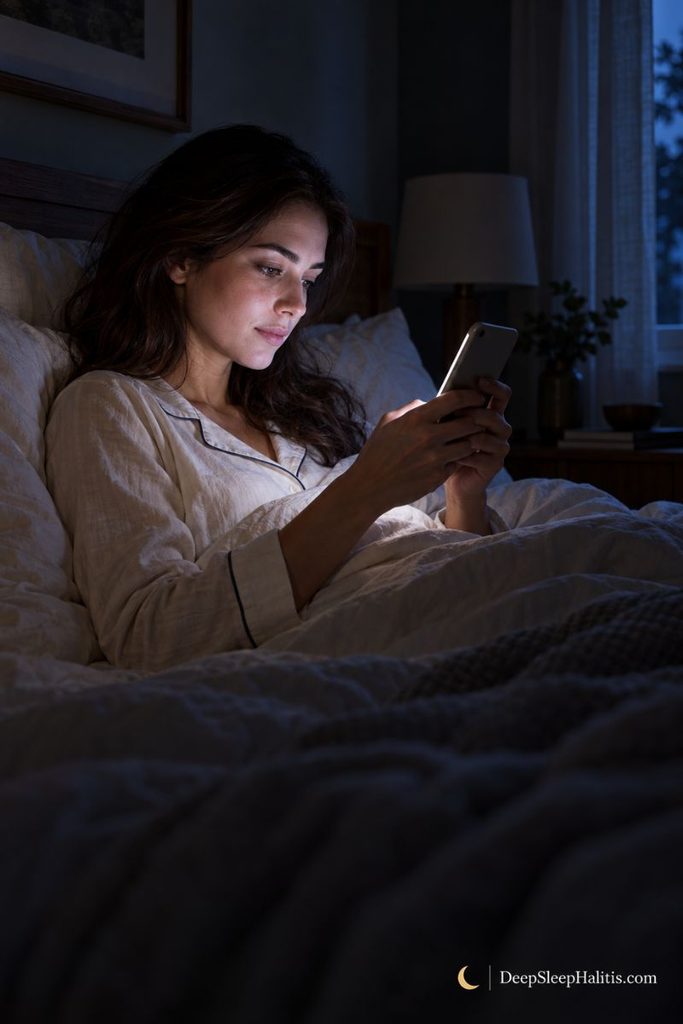
Screens emit light across different wavelengths, including blue light, which can strongly influence your body clock. In a small controlled study, participants reading on a light-emitting e-reader before bed experienced reduced evening melatonin, later circadian timing, and longer sleep onset compared with reading a printed book. The study involved prolonged evening exposure, so its findings should not be treated as proof that a brief glance at your phone will ruin your night.
How much light reaches your eyes matters. Screen brightness, viewing distance, exposure length, and the timing of use all contribute. Your response also depends on your individual sensitivity and the light you encountered earlier in the day.
Start by reducing screen brightness to a comfortable level and using a warmer display setting. These adjustments can reduce some light exposure, although they do not guarantee that your sleep will improve.
If you enjoy reading before bed, a printed book and a dimmable bedside reading lamp offer a practical alternative. When comparing lamps, look for a genuinely low brightness setting, a warm light option, and an adjustable head that directs light onto the page rather than toward your eyes.
Quick Tip
Try replacing the final 30 minutes of evening scrolling with a printed book. Use the lowest comfortable lamp brightness and keep your usual wake-up time. Over several nights, notice whether you feel sleepier at bedtime and find it easier to settle.
7. An Inconsistent Screen Routine May Disrupt Your Sleep Schedule
One evening, you put your phone away at 10 p.m. The next, you watch videos until midnight, then sleep later the following morning. When this pattern repeats, screen use can make your sleep schedule less predictable, especially if your weekday and weekend routines look very different.
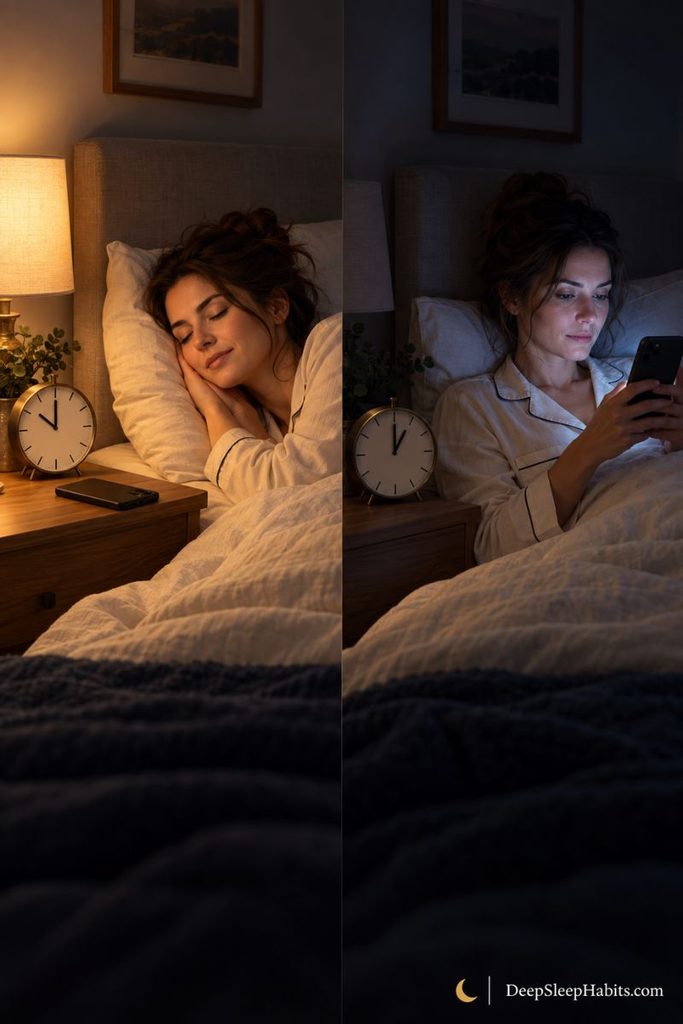
Your body clock helps coordinate when you feel awake and when sleep comes more naturally. Regular timing and a consistent pattern of light and darkness support that rhythm. Frequently shifting your bedtime and wake-up time may make it harder to feel sleepy at your preferred hour.
An occasional late movie does not mean you have damaged your sleep. The concern is a recurring pattern in which entertainment determines bedtime, and sleeping in moves the following day’s routine later too. You may then struggle to settle on Sunday night, even though an early Monday alarm is approaching.
Choose an evening stopping point that fits your responsibilities and leaves enough time for sleep. Pair it with a reasonably consistent wake-up time, including weekends. For more ideas that support your overall routine, our article Sleep Better Naturally explores practical habits you can build around your evenings.
A paper bedtime planner can help you compare your intended routine with what actually happens. If you prefer a structured format, look for space to record when screens go off, bedtime, wake-up time, and morning energy. A simple notebook works too; the value comes from noticing patterns you can adjust.
Quick Tip
For one week, choose a realistic time to finish using screens and keep your wake-up time approximately consistent. Record when you actually stop scrolling and how rested you feel in the morning. Use those notes to make one manageable adjustment, rather than changing your entire routine at once.
How to Stop Screen Time From Taking Over Your Bedtime
Start with the habit that most often delays your sleep. You do not need a perfect evening routine; you need a stopping point you can realistically repeat.
Give your evening a clear finish. Aim to use the hour before bed for quiet activities and avoid bright screens. If that feels difficult, begin with a shorter screen-free window and build from there.
Make putting your phone away easier. Set Do Not Disturb to allow essential contacts, then leave your phone beyond easy reach. If you rely on it to wake up, a simple alarm clock with a dimmable display can make this change more practical.
Choose what replaces scrolling. Keep a paperback, notebook, or another quiet activity ready. If buying a bedside reading light, look for adjustable brightness so you can read comfortably without lighting up the whole room.
Keep your mornings reasonably consistent. Aim for similar wake-up times throughout the week, while allowing enough time for sleep.
For the next week, briefly note when you stop using screens, when you go to bed, and how you feel the following morning. Look for patterns rather than judging individual nights. Your goal is a routine that protects your sleep and fits your life.
When Should You See a Doctor?
Speak with your doctor if sleep problems persist despite changes to your evening habits, or if poor sleep makes daily life difficult. You do not need to wait months to seek help when your concentration, mood, or ability to function is suffering.
Also arrange an appointment if you experience nighttime gasping, someone notices pauses in your breathing, or you regularly feel excessively sleepy during the day. These symptoms deserve assessment rather than being attributed to screen time.
Your doctor can explore other contributors, including medications, anxiety, or a sleep disorder. Bring a brief record of your sleep times, screen habits, and daytime symptoms to help explain the pattern.
Frequently Asked Questions
Does screen time before bed affect sleep for everyone?
Not everyone responds in the same way. Bright light, engaging content, and staying online past your intended bedtime may all play a role. Consider whether your screen use leaves enough time for sleep and whether you feel ready to settle when you put the device down.
How long before bed should you stop screen time?
Aim to spend the hour before bed winding down without bright screens. This is a practical guideline, not a precise cutoff that guarantees better sleep. If an hour feels unrealistic, start with a shorter break you can maintain and gradually extend it.
Is night mode enough to protect your sleep?
Night mode does not address everything that can interfere with bedtime. Even with a warmer display, you can still stay up answering messages or watching another episode. Treat display settings as one adjustment within your routine, alongside a clear stopping time and fewer interruptions.
Is watching TV before bed better than using your phone?
Neither is automatically better for sleep. Television can still expose you to bright light and encourage a later bedtime. Consider what you watch, how long you watch, and whether it delays sleep. Finishing an episode before your wind-down period gives your evening a clearer endpoint.
How quickly can reducing bedtime phone use improve sleep?
There is no guaranteed timeline. A small randomized pilot study found improvements after four weeks of avoiding phones during the final 30 minutes before bed, but that does not predict individual results. Track your own pattern, and seek advice if sleep difficulties continue.
Final Thoughts
So, does screen time before bed affect sleep? It can, through bright light, engaging content, and time taken away from rest. Notice what happens between picking up your phone and turning out the light: are messages keeping you engaged, videos extending your evening, or screen habits making bedtime unpredictable?
Choose one manageable change tonight: silence nonessential alerts, move your charger, or set a stopping time. Add a simple tool, such as a dimmable alarm clock, only if it helps you maintain that habit.
For support with your next steps, download our Free Sleep Better Tonight Guide and start building an evening routine that fits your life.